Quick Start Guide
The Quick Start demo environment already has the SESSIFY (@softprobe/sessify) pre-installed and enabled, so you don't need to install it again.
If you want to integrate the SDK into your own frontend app, see SESSIFY Integration.
Get started with SP-Istio Agent in minutes using a local Kubernetes cluster with Kind.
- Setup: 10-15 minutes
- Demo exploration: 5-10 minutes
Prerequisites
- Operating System: macOS (or Linux with Docker)
- Required Tools:
- Docker Desktop
- Kind -
brew install kind - kubectl -
brew install kubectl - Istio CLI -
brew install istioctl
Install All Tools at Once
brew install kind kubectl istioctl
Step 1: Set up Kind Cluster with Istio
Create a Kind cluster and install Istio with OpenTelemetry Operator:
curl -L https://raw.githubusercontent.com/softprobe/softprobe/main/scripts/cluster-setup.sh | sh
This script will automatically:
- Create a local Kubernetes cluster using Kind
- Install Istio service mesh
- Install OpenTelemetry Operator for telemetry collection
Step 2: Install the Travel Demo
Deploy the demo application with SP-Istio Agent:
Use the minimal.yaml file you downloaded from the Account Setup guide.
# Install Softprobe Istio WASM Plugin (using the minimal.yaml downloaded from Account Setup)
kubectl apply -f minimal.yaml

# Install demo app
kubectl apply -f https://raw.githubusercontent.com/softprobe/softprobe/main/examples/travel/apps.yaml

# Expose the demo
sleep 10 && kubectl port-forward -n istio-system svc/istio-ingressgateway 8080:80
Step 3: Try the Demo
- Open
http://localhost:8080/in your browser - Select a pair of cities
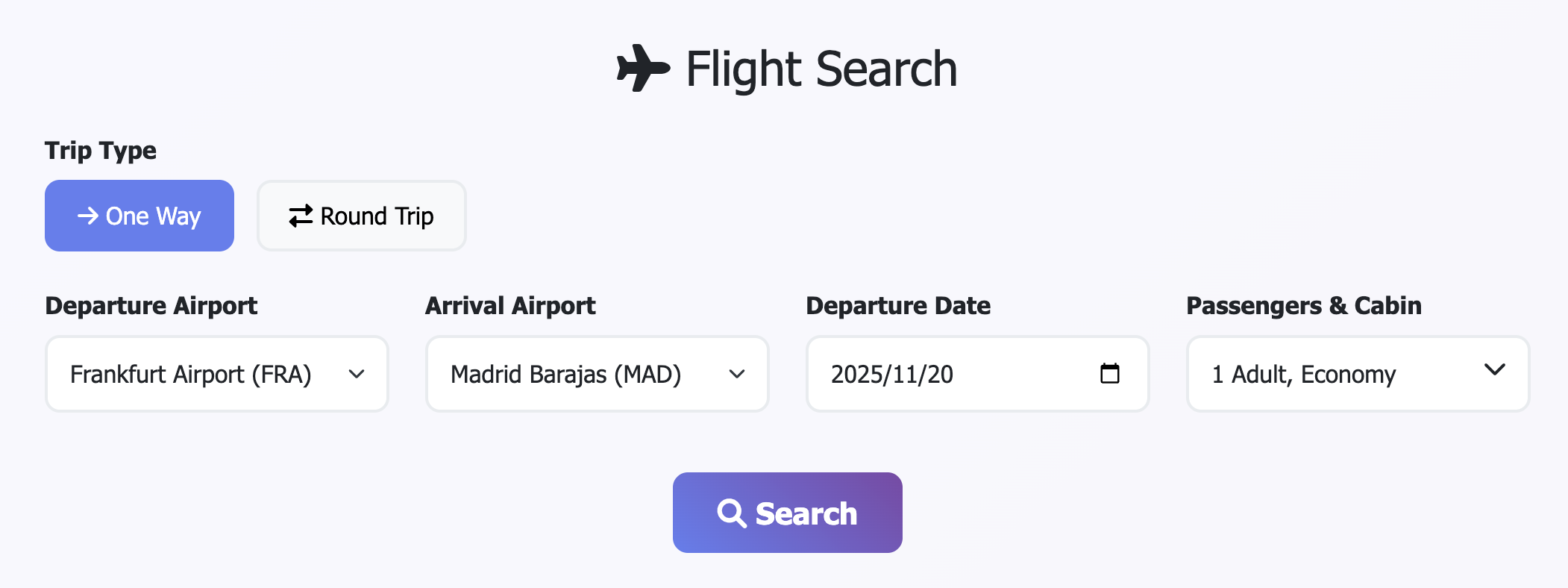
Demo: Search Flight.
-
Search for flights
-
Complete a booking with any test information
-
Process a payment with fake details
Generate at least 5-10 bookings to see meaningful data in the dashboard.
Step 4: View Results in Softprobe Dashboard
After generating some traffic:
- Go to Softprobe Dashboard
- Navigate to Travel View in the left navigation menu
- Explore the captured requests and business-level traces
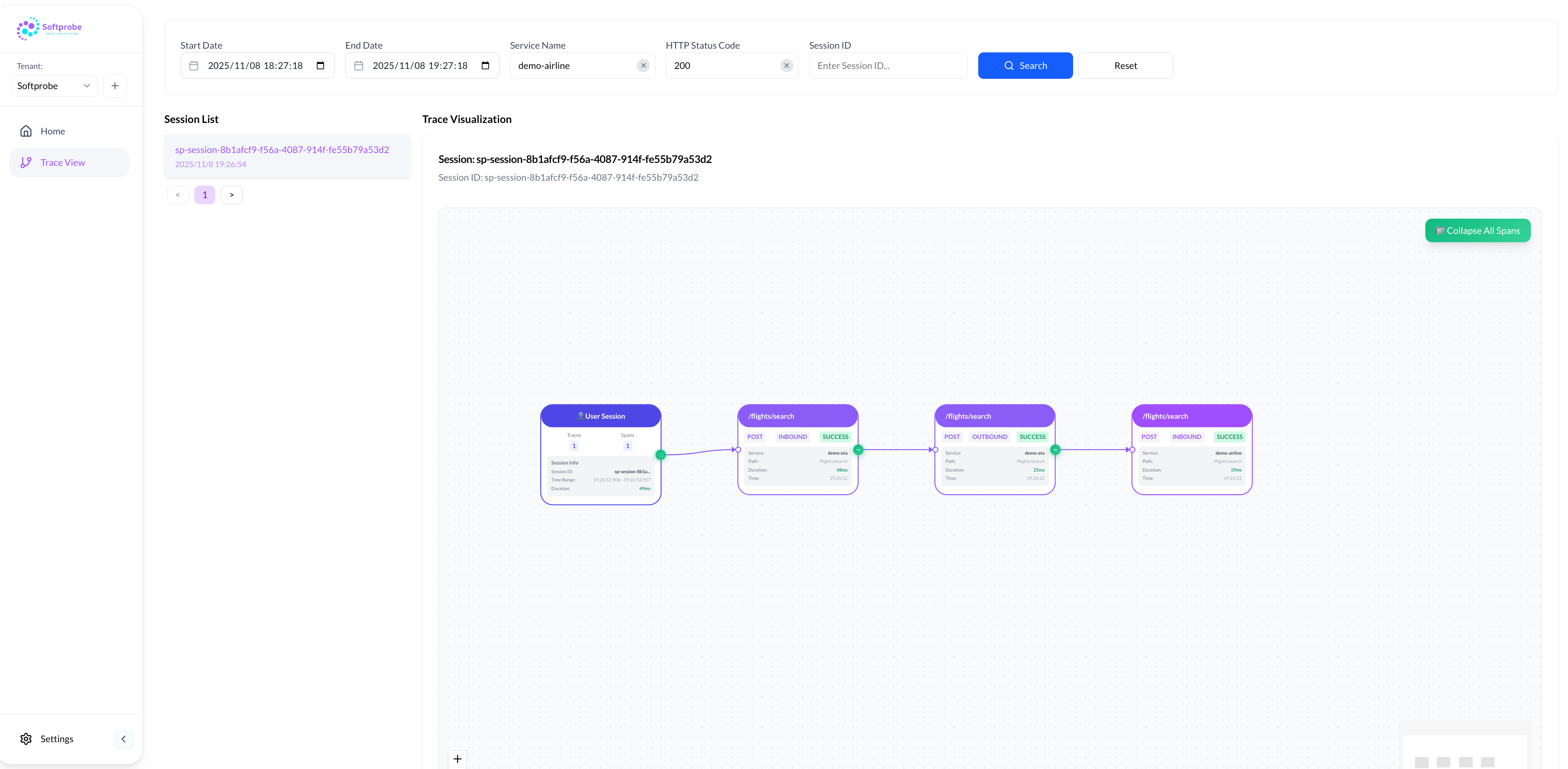
Demo: Session Overview.
Demo Video
Quick Start Demo Video.
Cleanup
When you're done with the demo, clean up the Kind cluster:
kind delete cluster --name sp-demo-cluster
You've successfully set up Softprobe and seen it in action! Next steps:
- Production Deployment - Deploy to your production cluster
- Configuration Guide - Customize collection rules
- Advanced Concepts - Learn how Softprobe works