

Write your first AI-assisted web test
In this tutorial, you will copy a TypeScript test that searches for a flight from London to Paris, checks the results, and completes a booking. The test uses agent.act() to describe browser actions in plain English and explicit checks to verify the results.
You will test a demo website without changing its code. This example checks the screen and does not send a session to Blackbox. When you need to check server requests too, Softprobe can connect the test to backend traces.
Recommended: start with your AI coding agent
With softprobe/softprobe-plugin installed in Claude Code, Cursor, Codex, OpenCode, or Antigravity, your coding agent handles dependency installation, e2e.config.ts, test authoring, and local execution in one turn:
- Ask your coding agent:
"Test this web app with Softprobe"(no Explorer account orINGESTION_KEYrequired). - If you also want to assert downstream backend API calls, ask:
"Set up Blackbox UI tests with backend API validation for this repo". - See Start with a coding agent for all task prompts and Softprobe capabilities.
Manual setup (without a coding agent)
Follow these steps if you prefer to set up the demo and TypeScript project by hand.
Before you start
You need Docker, Node.js 22.13 or newer, and a Gemini API key. Follow Google’s instructions to get an API key. You will run commands in a terminal and copy a TypeScript test. If these tools are unfamiliar, work through the setup with a developer or automation engineer.
The test sends instructions and page information to your model provider. Use a test environment and fictional data, and review your provider's data-handling policy before testing your own app. Model calls can incur charges on the first run and on later runs when cached steps cannot replay.
1. Start the demo
Run this in a terminal:
docker run -d --rm --name travel-ui-tutorial \
	-e TRAVEL_AGENT_PORT=18080 \
	-p 127.0.0.1:18080:18080 \
	docker.io/softprobe/demo-ota:v1.3.1
Open http://127.0.0.1:18080 in a browser. You should see Flight Search, with departure and arrival airport fields. If port 18080 is in use, choose an available port and replace 18080 in both the Docker command and the test configuration below.
2. Set up the test
Create a new folder and install the test tools:
mkdir travel-ui-test && cd travel-ui-test
npm init -y
npm pkg set type=module
npm install -D @softprobe/e2e@0.2.8 e2e@0.24.0 @e2e-dev/web@0.16.1 @playwright/test @ai-sdk/google@4 ai@^7 zod
npx playwright install chromium
Create e2e.config.ts in the folder:
import { google } from "@ai-sdk/google";
import type { E2EConfig } from "e2e";
import { softprobeCachedAgent, softprobeWeb } from "@softprobe/e2e";

export default {
	projectId: "travel-ui-test",
	workers: 1,
	tests: "tests/**/*.e2e.ts",
	cache: {
		dir: ".e2e/cache",
		mode: "read-write",
	},
	agents: {
		default: softprobeCachedAgent({
			model: google("gemini-2.5-flash"),
		}),
	},
	targets: [{
		name: "web",
		engine: softprobeWeb(),
		app: { url: "http://127.0.0.1:18080", identity: "travel-demo" },
	}],
} satisfies E2EConfig;
3. Write the test
Create a tests folder, then create tests/booking.e2e.ts:
import { expect, test } from "@softprobe/e2e";

test("books a flight from London to Paris", async ({ app, agent, screen }) => {
	await app.open("/");
	await agent.act("Select London Heathrow as the departure airport and Paris Charles de Gaulle as the arrival airport, then click Search.");
	await expect(screen.getByText("Flight Search Results")).toBeVisible();
	await expect(screen.getByRole("button", { name: /Select/ }).first()).toBeVisible();
	await agent.act("Select the first flight and book the first fare. Enter the passenger first name Alex, last name Tester, passport number TEST123456, phone 2025550100, and email alex@example.test. Confirm the booking.");
	await expect(screen.getByText("Booking Reference")).toBeVisible();
	await agent.act("Choose Credit Card/Debit Card. Enter cardholder Alex Tester, test card number 4111111111111111, expiry 12/30, and CVV 123. Click Pay Now.");
	await expect(screen.getByText("Payment Successful!")).toBeVisible();
});
The checks confirm that at least one flight can be selected, a booking reference appears, and the demo reports a successful payment. The example uses fictional passenger details and a test card. It does not check whether an email arrives.
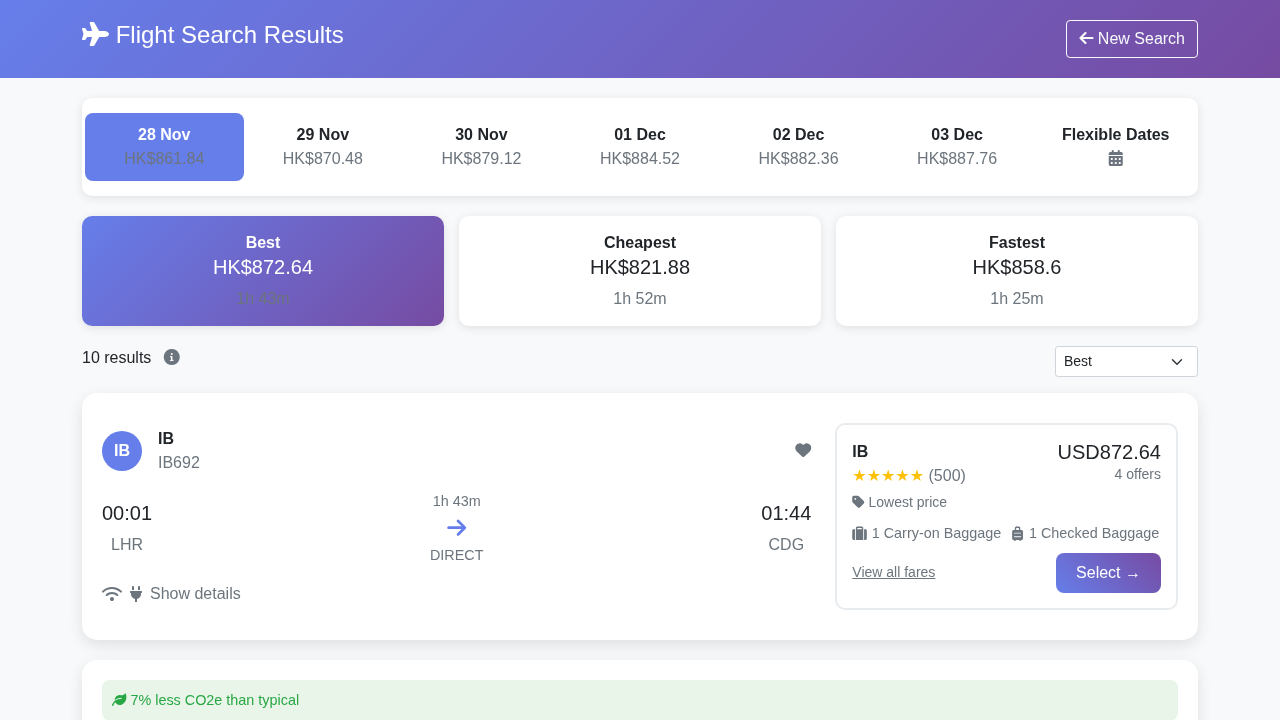
Flights and prices can differ on your screen. This screenshot shows the demo page, not a test result.
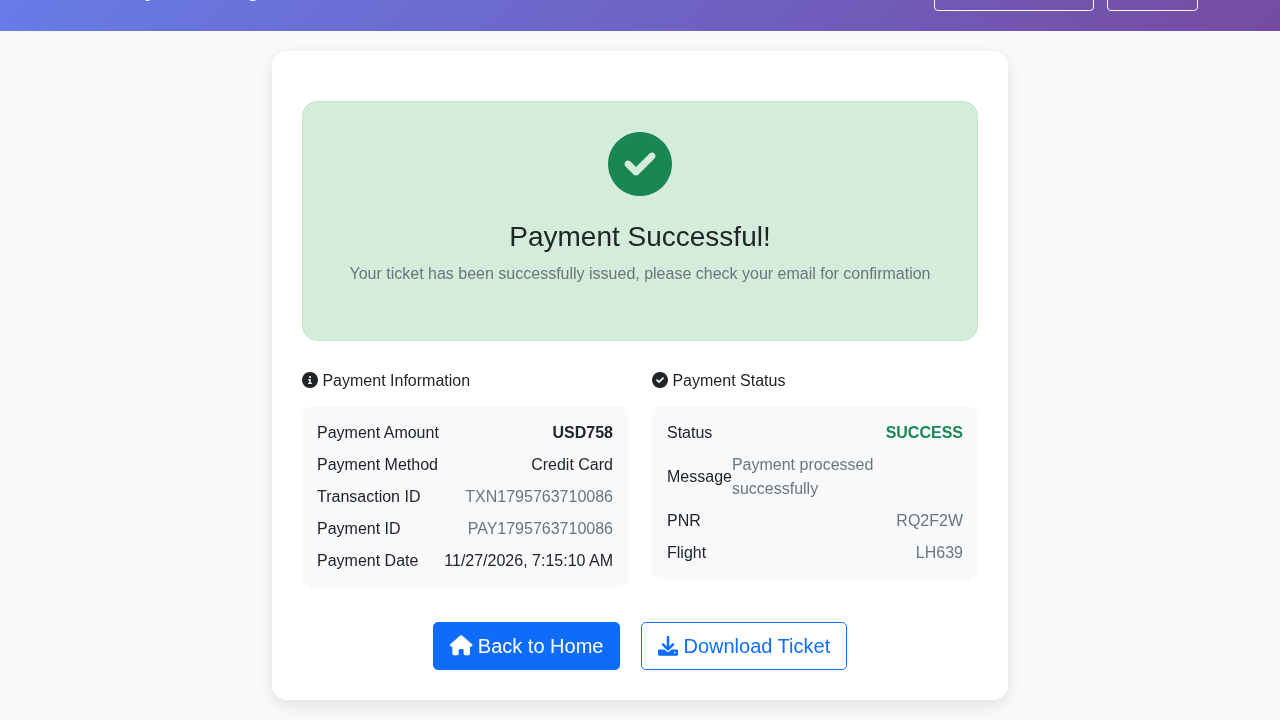
The demo displays a payment success message and booking reference. The screenshot is an application walkthrough, not a test result.
4. Run the test
Set GOOGLE_GENERATIVE_AI_API_KEY in your terminal environment. In Bash, you can enter the key without displaying it:
read -r -s -p "Gemini API key: " GOOGLE_GENERATIVE_AI_API_KEY; echo
export GOOGLE_GENERATIVE_AI_API_KEY
Run the test:
E2E_TELEMETRY_DISABLED=1 npx e2e runThe first run asks the model to perform the actions. On success, the runner reports one passing test, for example:
Test Files  1 passed (1)
     Tests  1 passed (1)
If the test fails, check the runner output and confirm that the demo page is reachable.
To try your own app, replace the app URL, the actions, and the screen checks with your own test flow. Use test data and a safe test environment.
About the local cache
The runner can save action steps in .e2e/cache/ and replay them on a later run. The demo changes flight details and prices, so a cached step may not replay and the model may be called again. Keep the model key available for this example. The cache is local and is not uploaded to Blackbox. Review cache files for sensitive information before sharing or committing them.
When finished, stop the demo:
docker stop travel-ui-tutorialTo check a backend request in your own app, see the natural-language backend-check example. It uses a team-invitation example and requires a configured Blackbox sink and backend tracing. The separate backend-check tutorial uses a different, pre-instrumented travel demo.