

Diff rules
Diff rules decide which differences don't count: whatever you configure is skipped, everything else is compared strictly. Handling differences one by one in Review differences only covers one run; turning fields that always change (timestamps, random IDs, serial numbers) into rules stops the false alarms on every future replay.
This page covers the console. The same rules can be written as YAML and kept in Git: see Policy YAML reference.
Where to configure
| Application rules | Global defaults | |
|---|---|---|
| Open from | Config → Diff rules | View global → on the application rules page |
| Applies to | The current application | Every application |
| Rule types | Ignore by path, ignore by condition (CEL), dependency types, and Per-endpoint rules that apply to some endpoints only; other types via YAML | All six types, one tab each |

The application page shows how many global default rules there are; View global → opens them. Several common global rules are built in, for example ignoring a difference when both values are UUIDs, both are IP addresses, or both are timestamps within the tolerance.
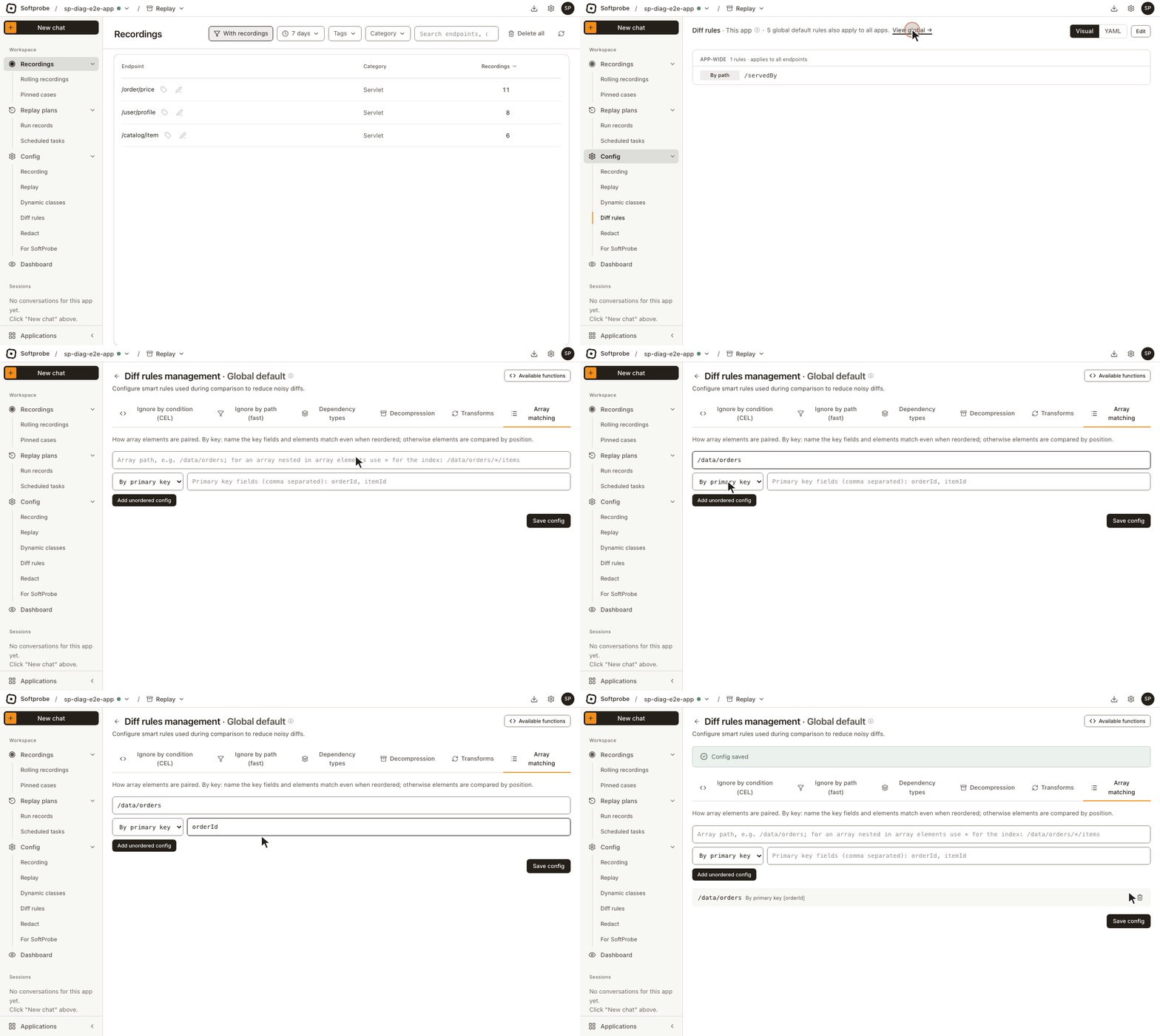
Change application rules with Edit at the top right and click Save when you're done, or switch to YAML and edit it directly. On the global default rules page, the Ignore by path (fast) and Array matching tabs need Save config after you add or change something (Add alone doesn't save it); Ignore by condition (CEL) and Dependency types save as soon as you add.
Ignore fields by path
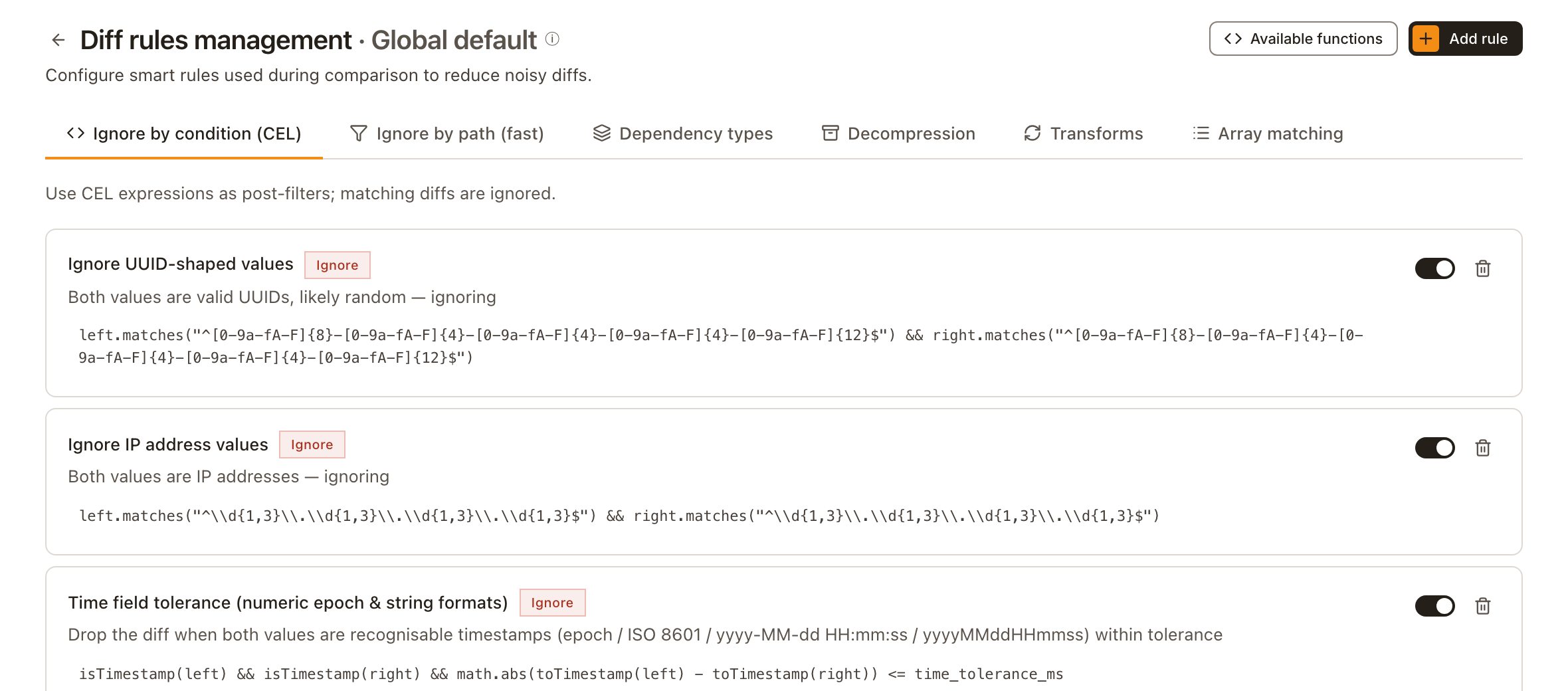
The most common rule: stop comparing a field. Good for timestamps, trace IDs and random tokens; the field and everything under it drop out of the comparison.
On the Ignore by path (fast) tab, enter the path under Ignored fields (skipped on replay) and click Add. Write the path as data.traceId or as a JSON Pointer, /data/traceId; * matches one level and ** any number of levels, as in /data/*/updatedAt.
Include paths (whitelist)
The same tab has Include paths (whitelist). Once filled, only those paths are compared and everything else is ignored — the opposite of ignored fields. Usually left empty, meaning everything is compared.
Ignore a whole dependency type
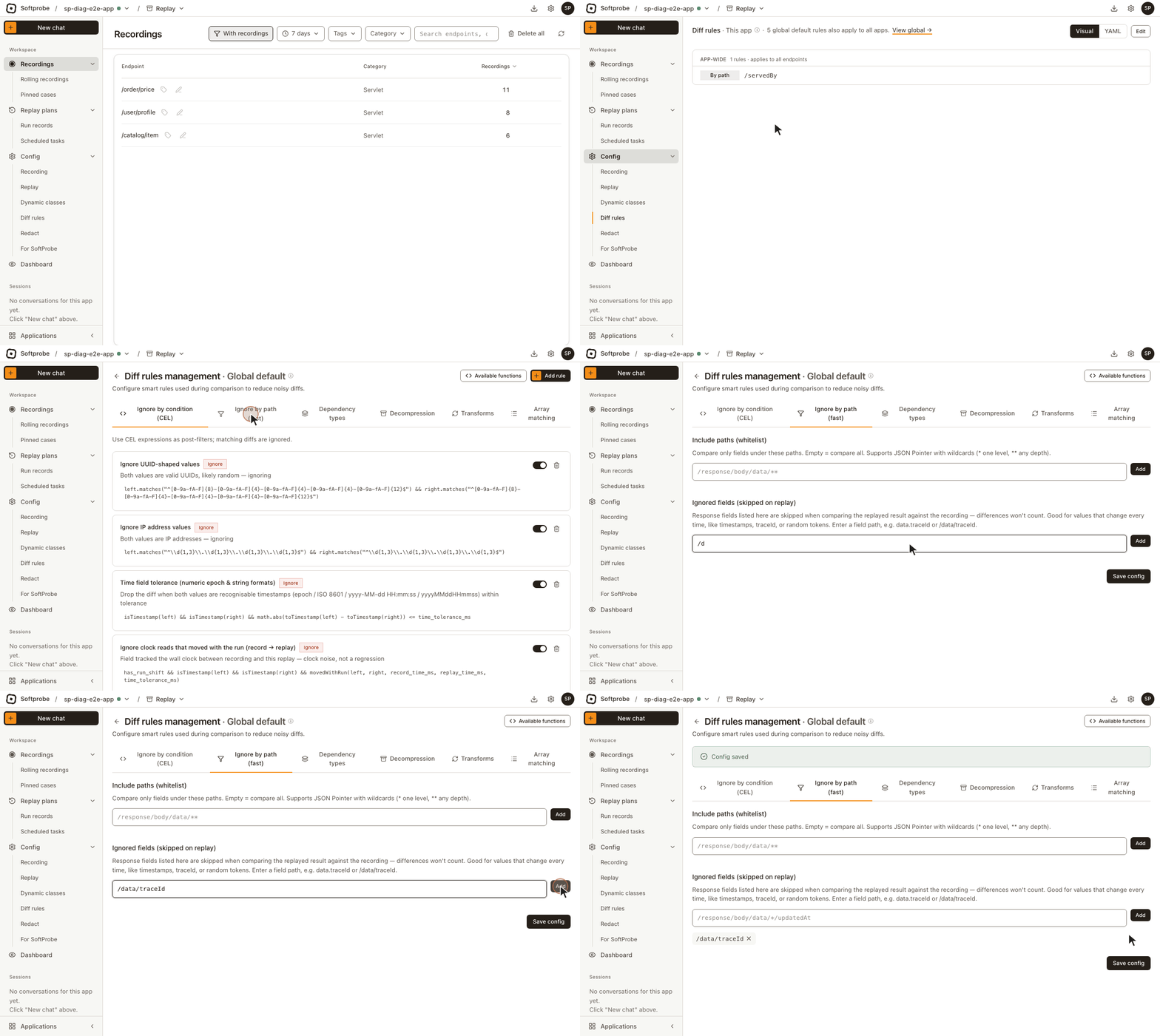
A coarse switch: differences in one kind of downstream call don't count at all, for example every Redis call, or one particular database operation.
On the Dependency types tab, enter the type (such as Redis, Database, Dubbo, HttpClient) and, if needed, the specific dependency name; with no name, the whole type is ignored.
In replay results, calls ignored this way are marked Category ignored and aren't compared field by field.
Ignore by condition (CEL)
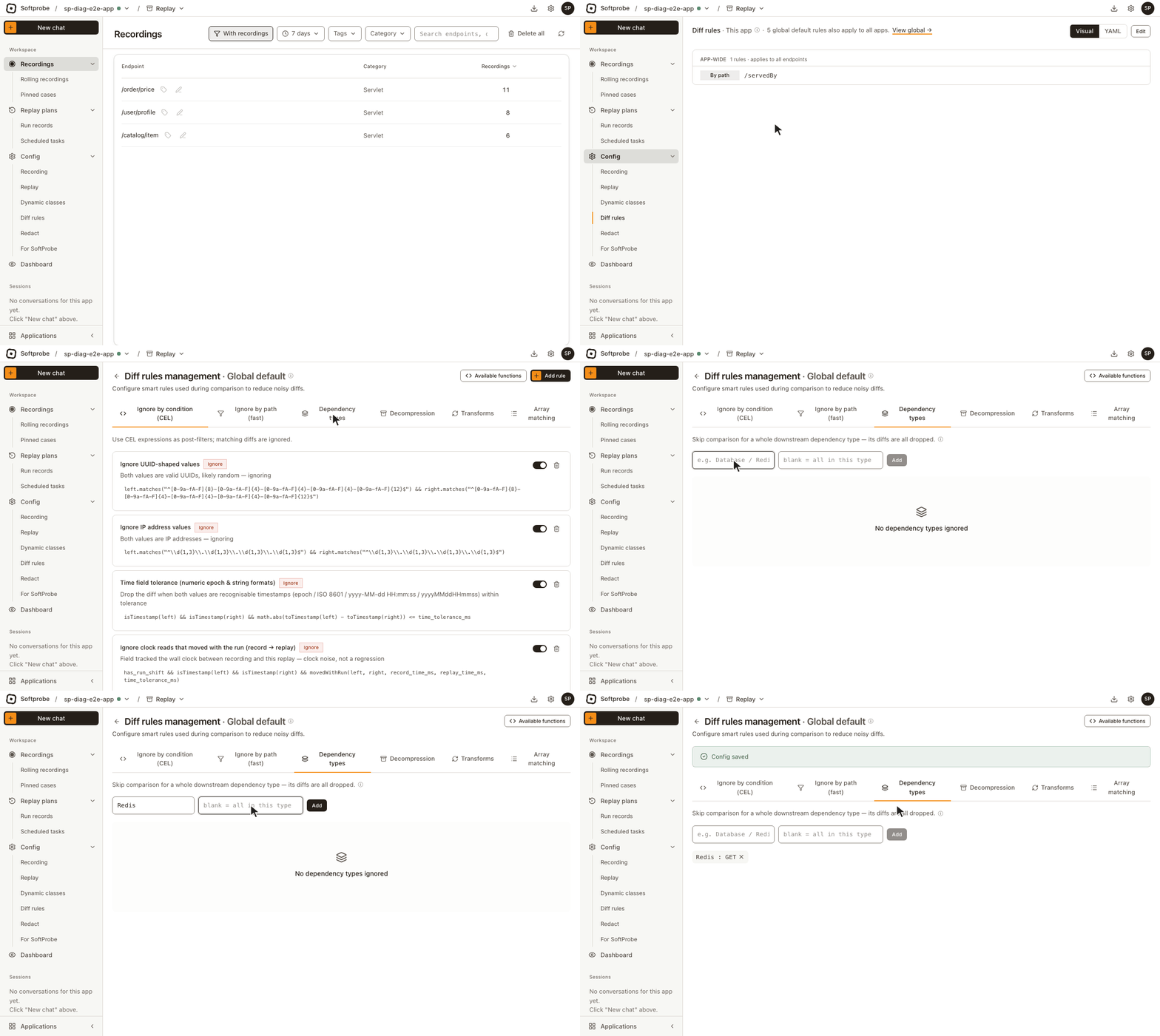
The most flexible: write a condition that every difference is checked against; when it holds, the difference doesn't count. Use it when a path or field name isn't enough, such as "ignore when both values are timestamps".
On the Ignore by condition (CEL) tab, click Add rule, optionally name it, and write the condition — or pick one From template. Available functions lists every function.
Common variables: left, right (recorded and replayed value), path, pointer (field path), fieldName, category, time_tolerance_ms. Common functions: isUUID, isIP, isTimestamp, toTimestamp, toNumber.
For example:
- Both values are timestamps:
isTimestamp(left) && isTimestamp(right) - A generated request ID:
fieldName == "requestId" && isUUID(right)
Tabs that don't take effect yet
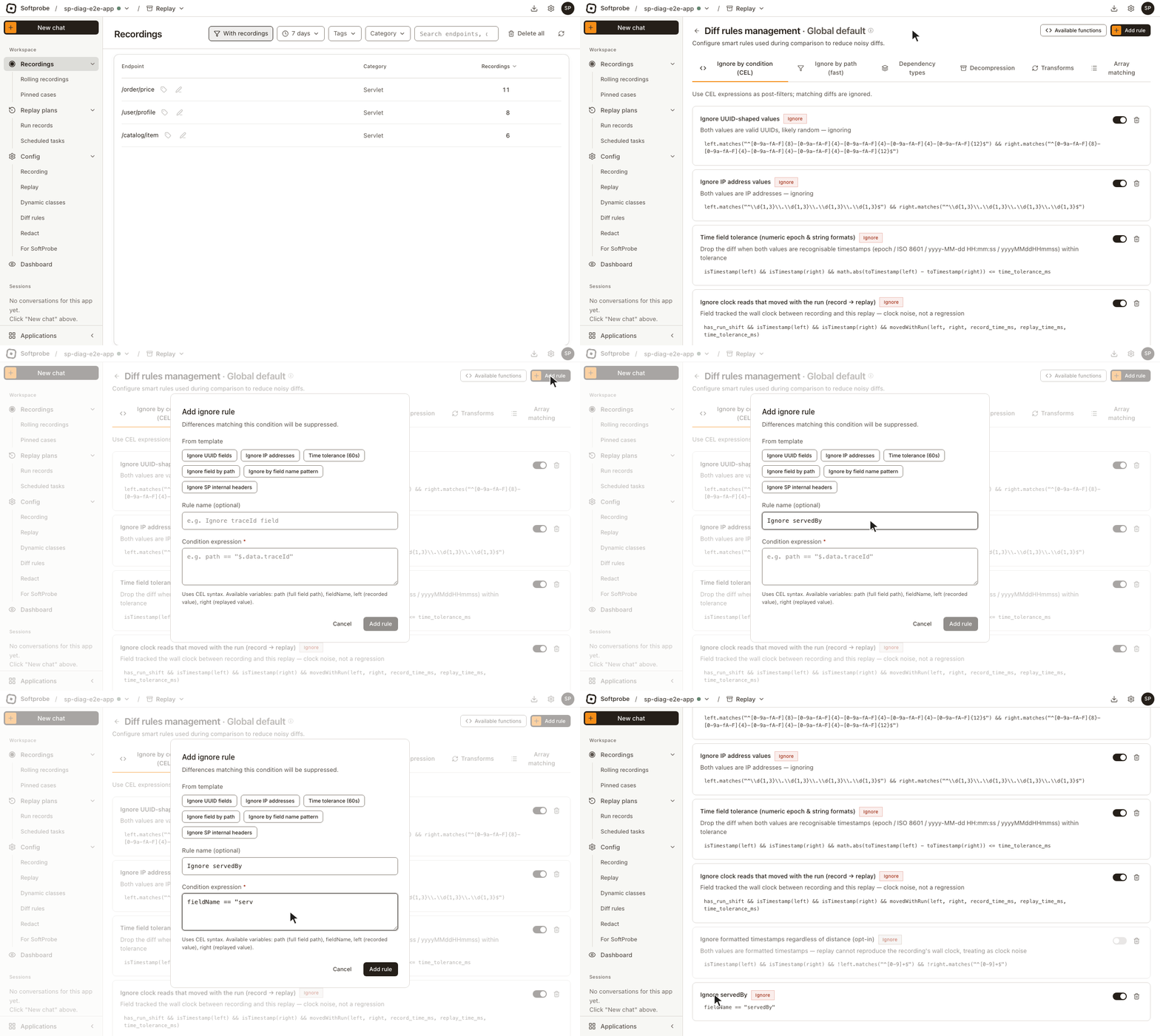
The global default rules page also has Transforms and Decompression tabs, meant for normalizing values and decoding Base64- or Gzip-encoded fields before comparison. In the current version these rules have no effect once saved: comparison finds no handler for them, skips them and compares the original values. Don't rely on them.
When array order varies
Arrays are compared by index by default. If the element order differs between recording and replay, you get a pile of false differences about missing and extra elements.
On the Array matching tab, enter the array path, pick a strategy and click Add unordered config:
| Strategy | When to use |
|---|---|
| By index | Default; compares position by position |
| By primary key | Pairs elements by a key field, such as orderId; works even when the order changes |
In YAML these are BY_INDEX and BY_KEY. The LCS algorithm option in the console has no effect in the current version and behaves like by index.
Rules for some endpoints only
The rules above apply to every endpoint of the application. For rules that should apply to some endpoints only, add them under Per-endpoint in the application rules: enter the endpoints to match (an exact name, or a pattern such as /api/order/*) and configure that group's own rules.
Where rules added in the diff view go
When you ignore a field while reviewing differences, every scope except Only this case writes a diff rule:
| Chosen in the diff view | Written as |
|---|---|
| By path | An ignore-by-path rule |
| By field name (every field with that name) | A CEL rule matching that field name |
With the scope set to the current endpoint or to a dependency call, the rule goes under Per-endpoint; with Whole app, into the app-wide rules.
Next
Rules set here apply from the next replay. To judge a finished replay by the new rules, replay again; you can only recompare on the spot when you add or remove rules from that replay's diff view. What still fails is worth a proper look.
To manage diff rules in Git, see Manage policies in Git and Policy YAML reference.